
Tabs and groups.
Keep snippets per project next to Recent and Favorites. History limits and “Clear all” never touch them.


Everything you copy, one hover or ⌘⇧V away. Native, private, and out of your way until you need it.
Before Friday

Recent, Favorites and your own tabs, as cards. Hover one to preview its text or image, with source app, age and size.
Click a card and it's back on the clipboard. Or drag it straight into any app.
Press / and type. Results filter as you go, in any keyboard layout.
The island grows into the full list. Arrows to move, Return to copy, without touching the mouse.
⌘-click items in order, then paste. Every paste, in any app, moves on to the next. No Accessibility needed.
Drag text, images or files onto the notch. Copy it, or keep it forever in Favorites.
Secret items live in the Keychain. Locked tabs and secrets open only with Touch ID.
The notch was just sitting there. Now it remembers everything you copy.
Every Mac that runs macOS 14
The notch itself becomes MyPaste: it opens into the shelf, previews, search, the full list and Settings.
iMac, Mac mini, Mac Studio, older MacBooks, external displays. Point at the top center of the screen or press ⌘⇧V, and the same island slides down from the top edge.
Keep snippets per project next to Recent and Favorites. History limits and “Clear all” never touch them.
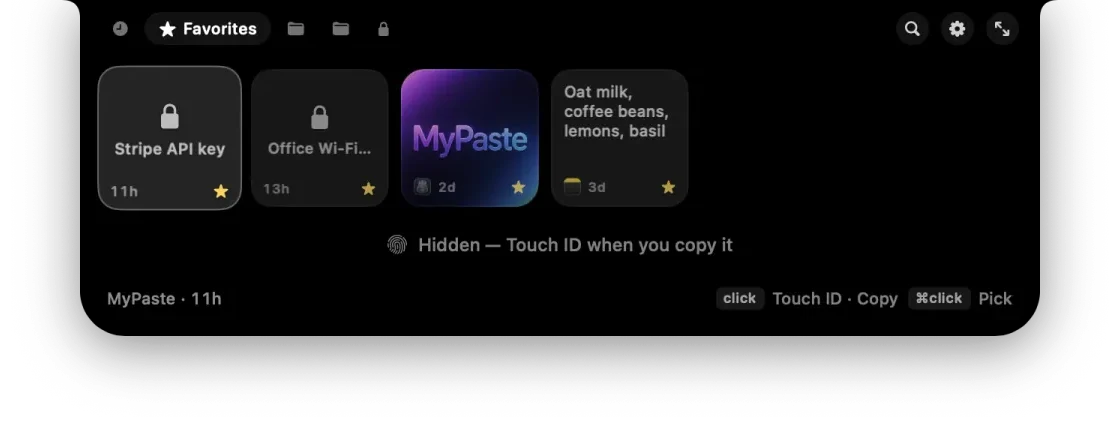
API keys and passwords live in the Keychain, hidden from the list. Lock whole tabs, too.
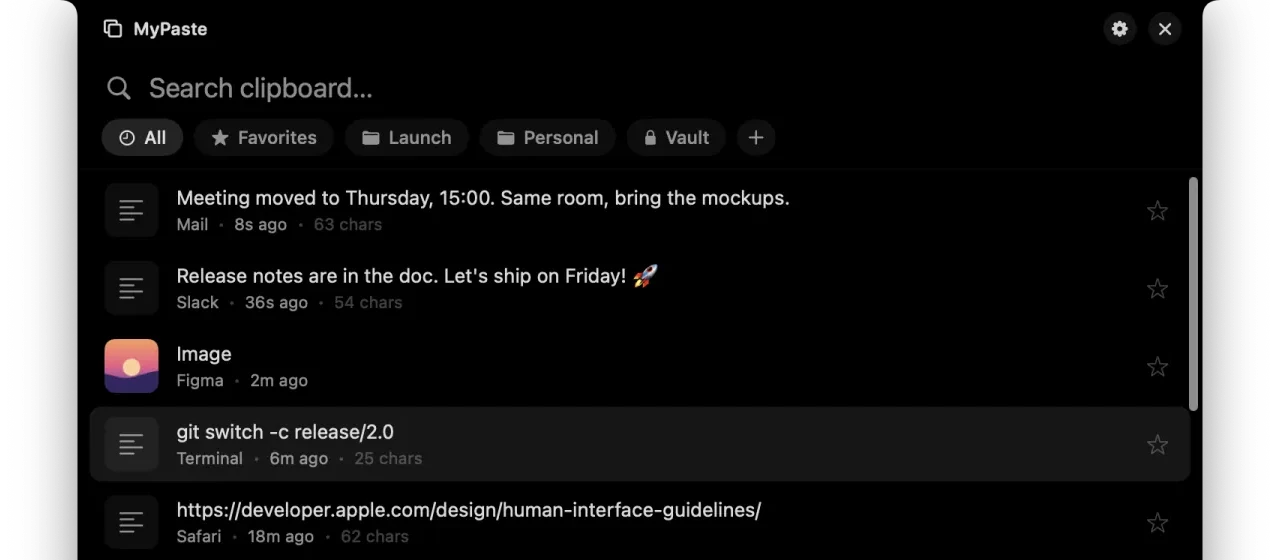
Press ⌘⇧V in any app and your whole history opens. Arrows to pick, Return to copy. Every shortcut also works on Ukrainian and other Cyrillic layouts.
See every shortcut →Concealed and transient pasteboard types are never saved. Pause capture for 15 minutes with one click.

Paste as a picture into chats and editors, and as a real .png file into Finder.
The pointer is tracked only near the notch, so MyPaste stays idle while you work.
No extra windows. History size, retention, haptics, and whether copies from iPhone and iPad land here, right where you already are.


Thirty seconds of MyPaste. Sound optional.
Private by design
MyPaste has no network access. No analytics. No account. Copies from password managers are skipped. Secrets live in the Keychain behind Touch ID. Your history never leaves your Mac.
$2.99, one time. Try every feature free for 14 days first.
A lifetime license, not a subscription. No account, no renewals, no upsell.
Something else? Ask us.
No. On a MacBook with a notch MyPaste lives in it. On any other Mac or display the same island slides down from the top edge of the screen when you point at the top center or press ⌘⇧V.
Unlock MyPaste with a one-time $2.99 purchase in the Mac App Store. Your history, tabs and favorites stay exactly where they are.
Only on your Mac. MyPaste has no network access and no analytics. Secrets are kept in the macOS Keychain.
Only for auto-paste, which sends ⌘V for you. Everything else works without it, including the Paste Queue.
macOS 14 Sonoma and later, on Apple silicon and Intel. On macOS 26 Tahoe the island uses Liquid Glass.
Support
Questions, bugs, ideas or purchase issues. A real person reads every message and replies by email.
